
Stop Digging Through 50 Pages of Bylaws — Just Ask HOMER
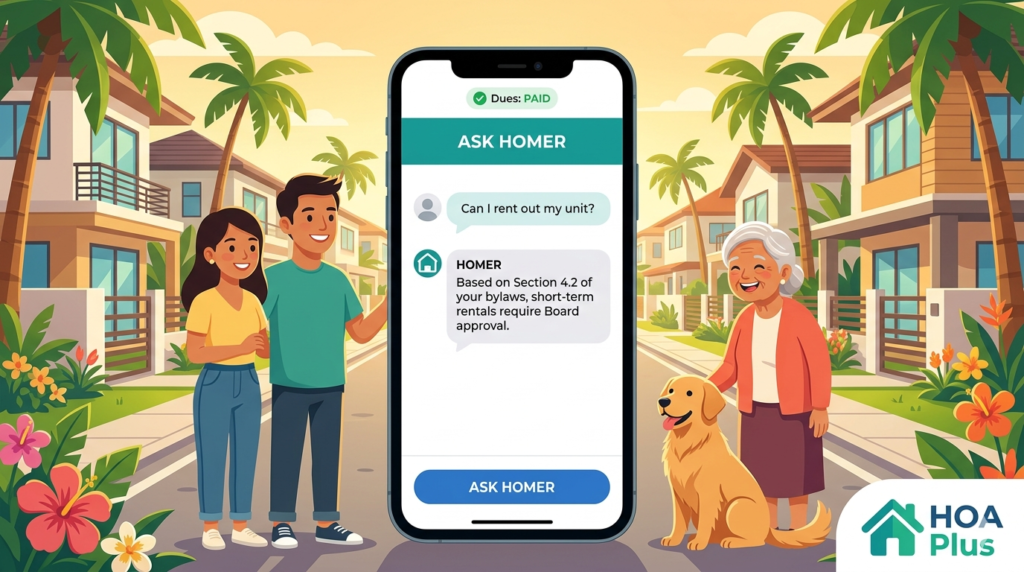
Stop Digging Through 50 Pages of Bylaws — Just Ask HOMER | HOA Plus
“Sino po pumaapasok sa subdivision natin kagabi?” “Allowed ba ang short-term rental?” “Anong oras bawal ang construction noise?” — These are the kinds of questions that flood your Viber GC every single week. And every time, someone has to dig through a thick stack of printed bylaws, or worse, guess the answer. It’s time for a better way to find the rules that matter — and it starts with your community’s own HOA bylaw search tool.
The Bylaw Problem Every Subdivision Shares
Every Philippine subdivision has bylaws. They cover everything — parking rules, renovation guidelines, pet policies, noise hours, penalty schedules, and more. The problem? Almost nobody has actually read all of them.
Most residents have never even seen the full document. Board members might have a copy somewhere — maybe in a filing cabinet, maybe in a dusty folder on someone’s laptop. When a rule question comes up in the group chat, the usual response is either silence, a guess, or a heated argument about what the rule “should be.”
And when a dispute escalates — say, a neighbor starts a renovation that blocks the shared driveway — the Board scrambles to find the exact bylaw. They flip through pages. They ask the secretary. They text the former president. By the time they find the answer, the damage is done: feelings are hurt, sides are taken, and the GC is on fire.
This is what happens when your community’s most important document is locked inside a filing cabinet instead of being accessible to everyone.
Meet HOMER: Your HOA Bylaw Search Tool That Actually Knows the Rules
HOA Plus has a built-in feature called HOMER — your community’s digital Neighborhood Specialist. Think of HOMER as someone who has carefully read every single page of your community’s bylaws, house rules, and official documents — and can answer your questions about them in seconds.
Here’s how it works for residents: Open the HOA Plus app, tap “Ask HOMER,” and type your question in plain language. No need for legal terms or exact wording. Just ask the way you’d ask a neighbor: “Can I put up a fence around my front yard?” or “What’s the penalty for late dues payment?”
HOMER reads through your community’s bylaws, finds the specific section that answers your question, and gives you a clear, simple answer — with a direct reference to the exact document and section where the rule is written. No guessing. No arguing. Just the facts, straight from your community’s own official records.
What Makes HOMER Different from Just Googling It
Here’s the thing — your subdivision’s bylaws are unique to YOUR community. Google can’t help you. Your neighbor’s opinion in the GC is just that: an opinion. That is what makes HOMER the most reliable HOA bylaw search tool available — it has actually read YOUR community’s specific documents. Every answer comes with a citation — the exact bylaw section, the exact page — so anyone can verify it themselves.
And HOMER doesn’t just know the bylaws. It’s also aware of what’s happening in your community right now: active projects, recent announcements, upcoming events, and ongoing polls. So when you ask “What’s the status of the clubhouse repair?”, HOMER can pull that information too.
How Your Board Sets Up HOMER as Your HOA Bylaw Search Tool
Setting up HOMER is simple. The HOA admin uploads the community’s bylaw documents — the PDF files of your house rules, articles of incorporation, amended bylaws, whatever your community has. Once uploaded, HOMER automatically processes every page and learns the content. That’s it. No complicated setup. No technical skills needed.
From that point on, every resident in your community can ask HOMER questions and get accurate, referenced answers. The board doesn’t have to answer the same questions over and over again. The information is always available, 24/7, right inside the app.
The Questions Residents Actually Ask
Based on how communities use this HOA bylaw search tool, here are the kinds of questions that come up most often:
- “What are the quiet hours in our subdivision?” — HOMER finds the exact noise regulation clause and tells you the specific hours.
- “Can I rent out my house on Airbnb?” — HOMER checks your bylaws for rental and leasing policies and gives you the answer with the specific section cited.
- “How much is the penalty for late dues?” — HOMER pulls the penalty schedule directly from your community’s official documents.
- “Are pets allowed? How many?” — HOMER locates the pet policy and gives you the specifics.
hoa-bylaw-search-tool
Every answer includes a reference link back to the original document, so there’s never a question of “where did that rule come from?”
How an HOA Bylaw Search Tool Benefits Residents
For everyday homeowners, HOMER changes the way you interact with your community’s rules. Instead of feeling like the bylaws are some mysterious document that only the Board understands, you can look up any rule yourself — anytime, from your phone.
No more waiting for someone to reply in the GC. No more getting conflicting answers from different neighbors. No more feeling blindsided by a rule you didn’t know existed. HOMER puts the information directly in your hands, explained in simple language, with the official source right there for you to see.
This is especially helpful for new homeowners who just moved into the subdivision and need to quickly learn the community rules, and for seniors who may not want to scroll through hundreds of GC messages to find an answer.
How an HOA Bylaw Search Tool Reduces the Board’s Workload
If you’re a board member, you know how much time gets spent answering the same questions. “What time does the pool close?” “Can my contractor work on Sundays?” “Why was I charged a late fee?” These questions come in through the GC, through text messages, through phone calls — and someone on the Board has to answer each one.
With HOMER handling rule-related questions automatically, your Board can focus on what actually matters: managing projects, improving the community, and resolving real issues that need human judgment. HOMER handles the repetitive “what’s the rule about…” questions, and the Board handles the decisions that require leadership.
Plus, because every answer HOMER gives is based on the official bylaws — not someone’s personal interpretation — there’s less room for disputes. When a resident challenges a rule, you don’t have to argue. You just point them to the same bylaw section that HOMER already cited. As the DILG encourages, transparent governance starts with accessible information.
Your Bylaws Deserve to Be Read — Let HOMER Do It for Everyone
Your community’s bylaws exist for a reason — to keep things fair, organized, and peaceful for everyone. But they can only do their job if people actually know what’s in them. HOMER makes that possible by turning your thick, hard-to-read document into something every resident can access with a simple question.
If your community is tired of GC arguments about rules, conflicting interpretations, and Board members who feel like they’re answering the same questions on repeat — it’s time to try the HOA bylaw search tool that actually works.
Try HOA Plus free for your community. Visit hoa-plus.app and see how HOMER can bring clarity and peace to your subdivision.
Already using HOA Plus for transparent billing? HOMER works right alongside your existing features — same app, same login, one unified community platform. And if neighbor disputes are a challenge in your community, check out how anonymous neighbor reports can help resolve conflicts peacefully.