
Subdivision GC Etiquette: 8 Rules for a Drama-Free Group Chat
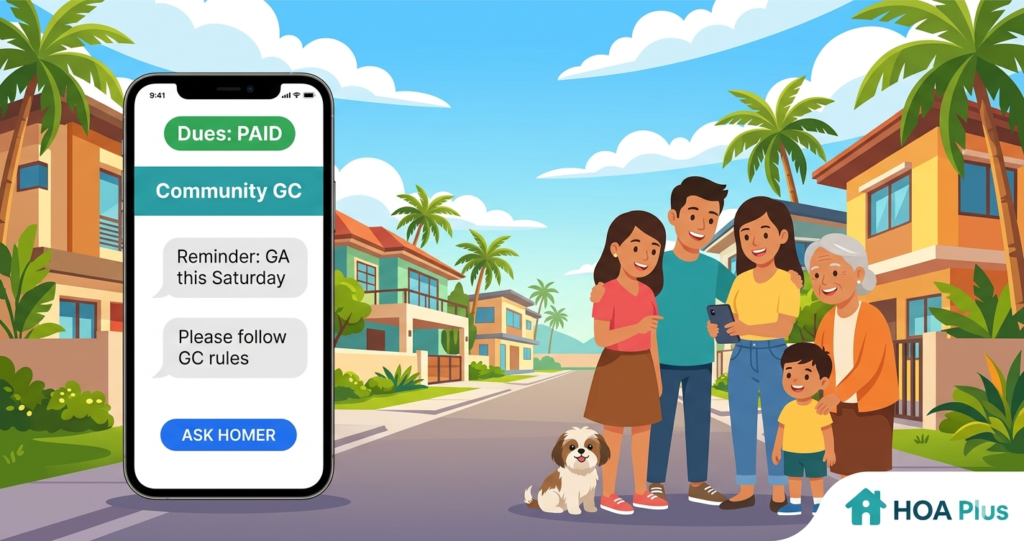
Every subdivision in the Philippines has one — that Viber or Messenger group chat that started as a helpful way to share announcements and ended up as a 24/7 source of stress. One minute it’s a reminder about water interruption, the next it’s a full-blown argument about parking, barking dogs, or whose contractor is making too much noise on a Sunday morning. If your subdivision group chat etiquette is nonexistent, you’re not alone — and it’s time to fix that.
Why Subdivision Group Chats Turn Toxic
The group chat was supposed to make communication easier. And for a while, it does. But without any real structure, it quickly becomes a dumping ground for complaints, side comments, passive-aggressive messages, and unsolicited opinions. Someone asks a legitimate question about dues — and suddenly there are 200 unread messages, half of which have nothing to do with the original topic.
The problem isn’t that people are bad neighbors. It’s that group chats have no rules, no moderation, and no separation between official business and casual chatter. Everything gets mixed together, tempers flare, and before you know it, people are taking screenshots and sharing them outside the group. That’s not communication — that’s chaos.
So whether you’re a board member trying to keep things civil or a homeowner who just wants useful information without the drama, here are eight subdivision group chat etiquette rules that can help your GC become a productive space again.
Rule 1: Keep Official Announcements Separate from Casual Chat
One of the biggest sources of GC frustration is when important announcements get buried under dozens of unrelated messages. A notice about a general assembly gets lost between memes, food delivery recommendations, and a debate about stray cats.
The fix is simple: separate the channels. Have one group strictly for official HOA announcements — no replies, no chatter — and another for open discussion. This way, residents who just need the important updates can check the announcements group without scrolling through noise. Some communities take this even further by using a dedicated community hub app that keeps announcements, events, and updates organized in one place — completely separate from the chaos of a group chat.
Rule 2: Don’t Call Out Specific Neighbors by Name
This is the number one rule that gets broken — and the number one reason GC arguments explode. Publicly naming someone in the group chat, whether it’s about their unpaid dues, their noisy renovation, or their dog that keeps escaping, almost always backfires. The person feels attacked, their friends jump in to defend them, and suddenly the whole group is taking sides.
If you have a concern about a specific neighbor, address it privately or report it through proper channels. A quick direct message or a formal report to the Board is far more effective — and far less damaging — than a public callout in a 300-member group chat. Communities that use anonymous reporting tools have found that concerns actually get resolved faster when they’re handled privately and without the emotional escalation that comes with public shaming.
Rule 3: Think Before You Hit Send — Especially When You’re Upset
Group chats feel informal, and that’s the trap. It’s easy to fire off a frustrated message the moment something annoys you — the guard let in an unauthorized vehicle, someone parked in your spot again, or the water bill seems too high. But what feels like venting in the moment often reads as an attack to everyone else.
Before sending that message, ask yourself: would I say this the exact same way if I were standing in front of my neighbors at a meeting? If the answer is no, rewrite it or take it to a private message instead. Tone is almost impossible to read in text, and what you meant as a casual observation might come across as a personal accusation.
Rule 4: Stop Replying “Noted” to Every Single Message
This one might seem small, but it adds up fast. When the admin posts an announcement and 50 people reply “Noted,” “Noted po,” or “Thank you,” the group chat becomes unreadable for anyone who checks it later. They have to scroll through dozens of identical replies just to find the actual announcement.
A simple reaction emoji — a thumbs up or a heart — is enough to acknowledge the message without flooding the chat. If your group chat platform supports reactions, use them. Save your typed replies for when you actually have something to add.
Rule 5: Don’t Use the GC to Settle Personal Disputes
The group chat is not a courtroom. If you have a dispute with a neighbor — about property boundaries, noise levels, shared walls, or anything else — the GC is the worst place to try to resolve it. Public arguments rarely lead to resolution. They lead to more arguments, more people getting involved, and relationships getting damaged beyond repair.
Take disputes to the Board, request mediation, or use whatever formal process your HOA has. The group chat should be a space where people feel comfortable asking questions and sharing updates — not a space where they’re afraid of being publicly attacked.
Rule 6: Respect the Hours — No Non-Urgent Messages Late at Night
Not everyone has their notifications muted, and not everyone should have to. Sending non-urgent messages at 11 PM or 5 AM disrupts people who are sleeping, especially families with young children and elderly residents. Emergency messages are obviously an exception — if there’s a flood, a fire, or a security issue, send it immediately regardless of the hour.
But that photo of an illegally parked car? The complaint about the landscaper? The poll about the Christmas party theme? Those can wait until morning. A good rule of thumb: keep non-urgent GC messages between 7 AM and 9 PM.
Rule 7: Don’t Forward Screenshots of GC Conversations Outside the Group
This one erodes trust faster than anything else. When people know that their messages might be screenshotted and shared in other groups — or worse, on social media — they stop participating altogether. The group chat becomes a place where nobody wants to speak up, ask questions, or share concerns because they’re afraid it’ll be used against them.
What happens in the GC should stay in the GC. If you disagree with something that was said, address it in the group or take it to a private conversation. Sharing screenshots externally is a surefire way to destroy whatever trust your community has built.
Rule 8: Let the Board Handle Board Business
It’s natural to have opinions about how the HOA is being run — that’s healthy. But the group chat isn’t the best venue for questioning financial decisions, challenging Board authority, or demanding explanations about ongoing projects. These conversations quickly become unproductive because they lack context, they invite pile-ons, and they put Board members on the defensive.
If you want transparency about where your dues go, request a financial report. If you want to suggest a project or question a decision, attend the general assembly or submit it in writing. A well-run HOA with tools for transparent billing and project tracking makes it easy for residents to see exactly where every peso goes — without needing to interrogate anyone in the group chat.
A Better Way to Communicate as a Community
The truth is, group chats were never designed for community management. They’re great for quick, casual conversations — but terrible for organizing hundreds of households with different concerns, schedules, and communication styles. When everything lives in one messy thread, important things get lost, tempers run high, and people disengage.
Following these eight subdivision group chat etiquette rules can go a long way toward keeping things civil. But if your community is ready to move beyond the limitations of a group chat entirely, consider using a platform that’s actually built for subdivision communication — one that separates announcements from chatter, handles concerns privately, and keeps everyone informed without the drama.
Try HOA Plus free for your community. Visit hoa-plus.app and see how a proper community platform can replace the chaos of your subdivision GC.